
JETPACK MEDIA3 EXOPLAYER
Hardware-Accelerated 4K Playback
PlayerView hardware acceleration through the Media3 ExoPlayer engine, with smooth seeking and up to 4K playback on capable devices.
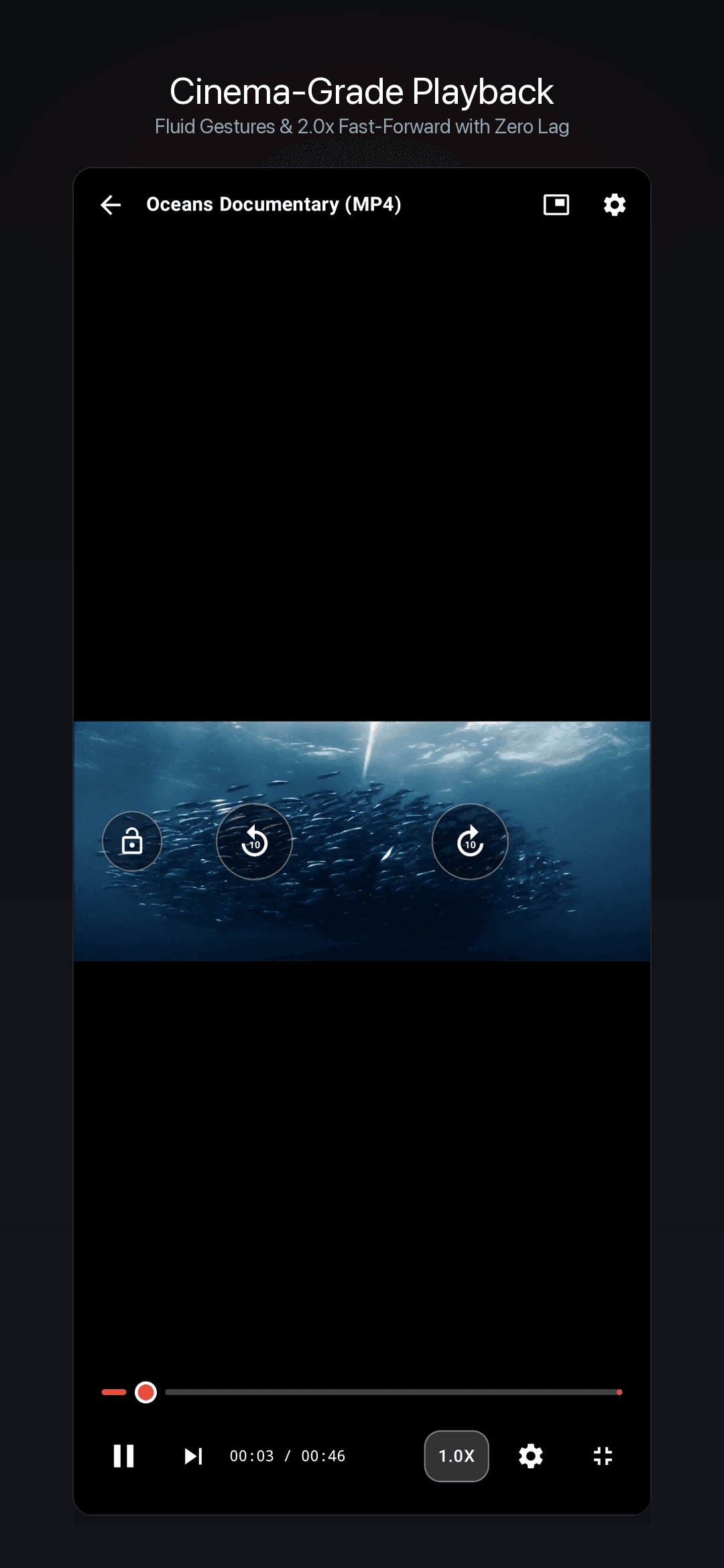

Experience cinema-grade playback powered by Jetpack Media3 ExoPlayer — hardware-accelerated decoding, biometric-gated privacy vault, intuitive gesture controls, and a smart local media library — all designed for Android.
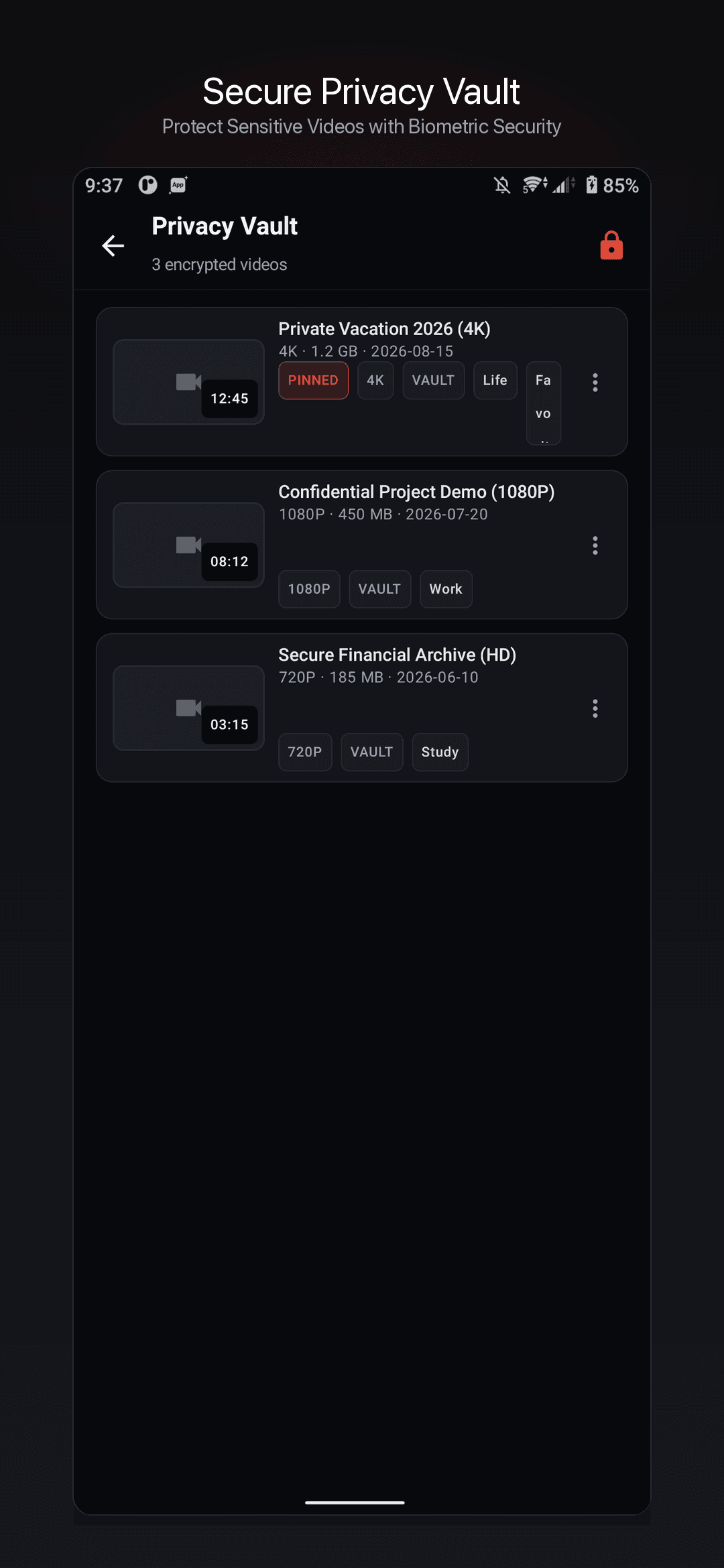
Real Android playback, privacy vault, and gesture controls from the shipping app
PlayerView hardware acceleration through the Media3 ExoPlayer engine, with smooth seeking and up to 4K playback on capable devices.
Hide selected videos in an app-internal vault unlocked by fingerprint, face recognition, or device PIN. Files stay off the public library and away from system gallery scans.
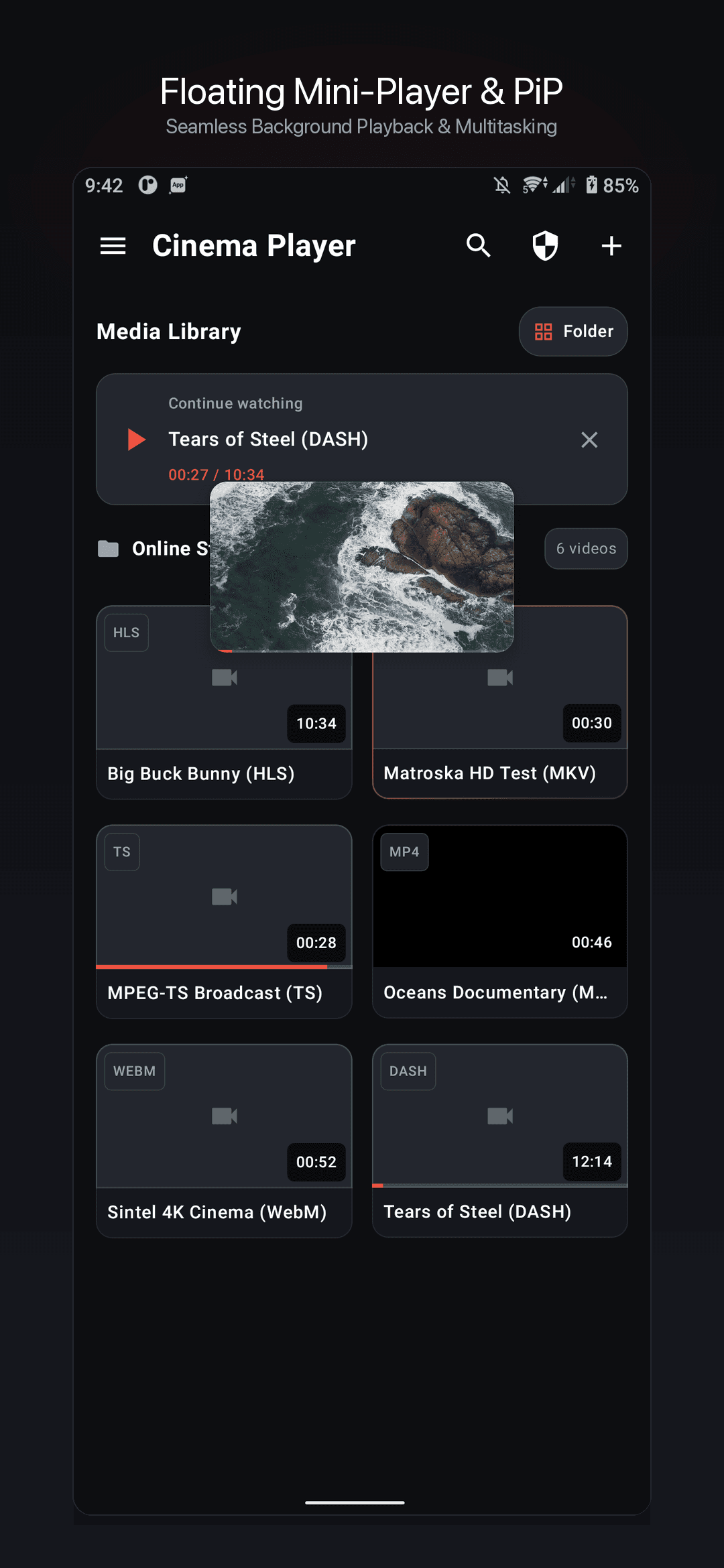
Drag a floating mini player while browsing your library, or use system PiP. Vertical swipes adjust brightness and volume; double-tap skips 10 seconds; long-press triggers 2× fast-forward.
Professional-grade features for every viewing session
Built on Jetpack Media3 ExoPlayer with PlayerView hardware acceleration. Delivers smooth playback up to 4K and HDR content on supported devices.
Move videos into an app-internal sandbox protected by fingerprint, face, or device PIN. Vault files are hidden from the system gallery and media scanners via .nomedia isolation.
Shrink playback into a boundary-clamped floating mini window while browsing your library, or switch to native Android Picture-in-Picture and landscape fullscreen.
Swipe left for brightness, right for volume, horizontally to seek. Double-tap to skip 10 seconds, long-press for 2× speed. Speeds from 0.5× to 3× with Fit/Fill/Zoom/16:9 aspect ratios.
Plays MKV, MP4, WebM, and more locally, plus HLS, DASH, SmoothStreaming, and RTSP streams. Constant-bitrate seeking for accurate timeline navigation.
Native playback for every common video container and streaming protocol supported by the Android client.
Verified answers about formats, privacy vault, gestures, and offline playback
The Android app plays local containers including MKV, MP4, WebM, AVI, MOV, FLV, TS, 3GP, WMV, and VOB, plus network streams over HLS, DASH, SmoothStreaming, and RTSP. Hardware acceleration supports smooth playback up to 4K on capable devices.
Videos moved into the vault are stored in an app-internal sandbox with a .nomedia marker so they no longer appear in your public library or system gallery scans. Entry requires biometric verification (fingerprint or face) or your device PIN through Android BiometricPrompt.
Local playback works fully offline with no account required. The app may send anonymous usage and crash telemetry through Firebase Analytics and Firebase Crashlytics to improve stability, but it never uploads your media files, playback history, or library metadata.
In fullscreen, swipe vertically on the left for brightness and on the right for volume; swipe horizontally to seek. Double-tap left or right to jump 10 seconds. Long-press to play at 2× speed. You can also shrink playback into a draggable mini window or switch to Android Picture-in-Picture while browsing your library.
The player settings drawer offers playback speeds from 0.5× to 3×, aspect ratio modes (Fit, Fill, Zoom, 16:9), loop-one playback, and continue-watching resume. The media library supports folder/date grouping, tags, pinning, rename, and rescan.